
ACCOUNT
Account access
Check which details are requested, how phone verification works and where to return when access stalls. We keep this page linked from home so you do not need an old message.
putra62 puts rajabaccarat, Aviator, bingo777 and Mega Fishing behind one account, with wallet status visible before your next cashier step.


Move from slot rooms and streamed casino tables to fishing games and the sportsbook without leaving our main home screen.
Our home catalogue groups titles from Pragmatic Play, PG Soft and Habanero alongside other studios, with each available title shown in its matching category.
DANA, OVO, GoPay and QRIS appear together on our home cashier, so you can confirm the selected wallet before submitting a transaction.
Useful home links should help you make a decision, not repeat a slogan. We connect the lobby to account rules, wallet status, withdrawal checks, game-category details and support…
Check which details are requested, how phone verification works and where to return when access stalls. We keep this page linked from home so you do not need an old message.

See whether DANA, OVO, GoPay or QRIS is selected before submitting a transfer. The cashier separates a pending rail response from a confirmed account balance update.

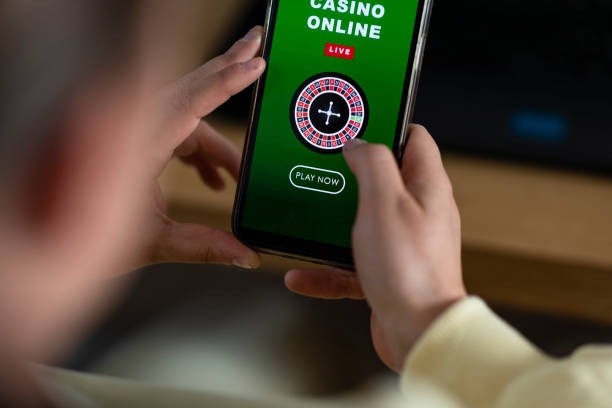
Read how live baccarat and roulette streams load inside the table room. If your connection drops, reopen the same category from home and check whether the table remains available.
Open our Terms, Privacy details and account conditions from the home footer. These pages explain access conditions, verification checks and how we handle submitted account details.
Your first home visit should answer four things: how to create an account, what verification is required, where the lobby sits and how we protect access.
Start from the account entry on our home screen, enter the requested details and confirm your mobile number. We show each required field before you submit, so the next step is clear.
Your account needs accurate contact details and phone verification before full access. Keep the same mobile number available when returning, because verification checks may appear when account activity changes.
The home menu connects slots, live baccarat and roulette, Dragon Tiger, blackjack, football, badminton and basketball. You can switch categories without creating a separate casino or sportsbook account.
Use a private password, avoid sharing verification messages and check the displayed account name before using the cashier. Our home help path remains close when an access check does not match.
Account and wallet questions are easier to resolve when you start from the correct home help route. Live chat handles active screen issues, email suits cases that need receipts or longer account details, and the mobile help panel stays close to the cashier. Current service hours are displayed inside each contact entry rather than stated as a permanent schedule. Share the transaction status, selected rail and relevant time so we can inspect the right record.
Open chat from the home help control when login, lobby or wallet status stalls. Keep the affected screen open and describe the exact label you see so we can trace the step.
Use the email address displayed in our contact area for cases involving receipts or extended account checks. Include your account reference, rail name and transaction time, but never send your password.
Tap the help control near the mobile cashier when DANA, OVO, GoPay or QRIS does not update. The panel keeps you near the relevant status screen while contacting us.
Our browser-based home adapts its category rows and cashier controls to phone and tablet screens without requiring a separate app.
Phone verification creates a clear checkpoint before full account access, while password controls help separate your login from the device you use.
A single home path reduces the need to search old messages, saved screenshots or unrelated pages for casino access.
Our home keeps the account path beside the lobby navigation. Scattered links may hide where details are submitted, making it harder to confirm that you are using the intended screen.
The live catalogue shows current casino and slot categories in one place. Saved images or old messages cannot show whether rajabaccarat, Aviator or Mega Fishing is presently available.
Cashier labels display DANA, OVO, GoPay and QRIS status beside your account. A separate message cannot replace the pending or confirmed state returned by the selected rail.
Terms, Privacy details and account conditions remain connected to the home footer. Keeping those links together helps you check current wording before registration, verification or a transaction.
The home help control directs you to live chat, email or mobile assistance. Contact details copied elsewhere may lack the context needed for a login or wallet-status case.
Phone and tablet layouts preserve the same main category path. Scattered bookmarks can open an outdated inner screen, while the home page starts from the current navigation.
Game return details can differ by title, configuration and round rules, so our home does not present one percentage as if it applies everywhere.

Check the individual title panel for its displayed return details and feature rules.

Read the table rules and available betting positions before joining a streamed round.
Open the game rules to understand round timing, multipliers and exit controls.
Inspect weapon values, target behaviour and room rules before selecting Mega Fishing.
Check the market terms, selection status and settlement conditions shown with each event.
RTP percentages are informational reference values from provider documentation. Actual session outcomes vary.
Our home is configured for Indonesia with DANA, OVO, GoPay, QRIS and local bank context visible where available. You can open the browser-based lobby from supported phone, tablet or computer connections without installing a separate app. Game availability, account eligibility and access to specific services depends on local law. The map area indicates our intended market context; it does not override regional restrictions or the conditions displayed during account verification.
Six visible elements define what you can do from our home without searching elsewhere.
These answers cover the questions you are most likely to ask before using our home: what the brand contains, how account access works, which local rails appear, how mobile navigation behaves and where help is located. We also explain game-category access and transaction status without making fixed timing claims. Check the current lobby, cashier and contact panel for conditions tied to your account at the time of use.
Begin at the account control if you are new, or use the same entry to return after verification.
Open the account area and complete each requested detail, including phone verification.
Select casino, slots or sportsbook from the main menu. Live baccarat, roulette, Dragon Tiger and blackjack sit under table categories…
Confirm DANA, OVO, GoPay, QRIS, virtual account or bank transfer availability on the current screen.
Open live chat for an active screen issue, email for receipt-based checks or mobile help near the cashier.